
Expense Report: What it is, how to create one & free template
Want to master expense reports? Get a detailed overview with our ultimate guide, stay ZATCHA-compliant, and download our free tracking template.
Author: Ahmed Abdel Wahab
Category: Payroll Management
Published on: 15 July 2026
Share this blog with your colleagues
Do you ever take a look at the stack of vague, manual expense claims at the end of the month, only to see that your staff is wasting hours just reconciling simple expenditures?
Or perhaps your finance department does everything according to your company’s policy, yet they are still stuck going through endless email threads trying to find lost receipts?
But expense reporting shouldn’t be this draining for your business. Let’s look at how to take the friction out of expense management once and for all...
What is an expense report?
In simple terms, an expense report is what your business needs in order to document and categorize money that has been spent by your team for work-related reasons. It takes loose receipts, purchases, and travel costs and packages them into an organized, itemized paper trail.
For you and your finance team, these reports are the gatekeepers of your cash flow. They do the heavy lifting when it comes to calculating accurate employee reimbursements, tracking department budgets, and mapping out tax-deductible expenses so you don't lose money when tax season rolls around.
From a broad perspective, an expense report analyzes three specifics for every single transaction:
- Primary points: The date, vendor, and total amount spent.
- The Context: The explicit business purpose; why the expense was necessary in the first place.
- The Proof: The receipt or invoice, assigned to its structural category (such as client entertainment, travel, or office supplies).
It all comes down to total clarity. Whether your employees go on trips to see clients or purchase software for their departments, your expense reports will provide your business with an impeccable financial record every single time.
What are the types of expense reports?
Before picking a template, you really only need to ask yourself three core questions:
- How often do your employees actually submit their claims?
- How often does the finance department review your operating budgets?
- What payment methods are your teams using most; are they charging corporate cards or paying out-of-pocket?
Answering these questions will give you a crystal-clear picture of the exact type of report you need.
One-time expense reports
These reports focus on transactions that don’t occur on a regular basis (e.g., a manager hosting an impromptu client coffee meeting or paying the registration fee for an industry webinar).
Recurring Expense Reports
This layout is engineered for high-frequency spenders where filing separate claims would create an administrative nightmare. Here, the underlying objective is consolidation: Instead of bombarding your accounting department with an avalanche of receipt items, it consolidates your company’s continuous expenditure into one periodic reporting cycle.
This type of report is crucial in the case of working operational units such as sales executives in the field and marketing units that handle a continuous buildup of their SaaS tech stack. For example, if a sales representative is working on a regionally based multi-city campaign, they could document all their expenditures, from fuel purchases to client dinners and hotels, on one chronological document. By the end of the month, the finance unit gets a consolidated view of all operational activities by that particular employee through one dashboard.
The Macro-Level Dashboard
This approach works as a long-term forecasting model instead of a day-to-day tracker, so it’ll help you to carry out a variance analysis.
To do this, the system consolidates individual and departmental spending to show exactly how they affect your yearly cash flow.
How to create an expense report
Expense tracking through manual means is highly susceptible to human errors and also takes up a lot of your valuable time. Read more about the effects of this problem in our article “The Hidden Cost of Manual Expense Management.”
But if your current process involves using a manual system or creating a base-level system for your business, there is no other option than having a thorough and well-defined workflow to avoid any mistakes.
Here is the first place to start:
01. Establish Clear Policies
A Travel & Expense (T&E) policy dictates how funds are spent and gives your team direct guidelines on what's on the company tab and what's off.
- Who does it apply to? Specify whether the rules apply to every employee or vary by specific department roles.
- Who signs off on the data and reviews the reports?
- What are the spending caps?
- What is covered? Separate reimbursable categories from out-of-pocket items, such as parking tickets, personal purchases, or premium travel upgrades.
- What counts as proof? Required receipts should be clear as well as the steps of documentation.
- When is the cutoff? (e.g., bi-weekly or within 30 days after a trip) so that your finance team can process information in time and ensure predictability of the company’s cash flow.
- How does the money get back to them? Specify the exact payout method, whether that means direct deposit, payroll reimbursement, or otherwise.
02. Collect data
Documentation is the key to proper reporting and should be easily tracked and encouraged at all times. So, if an employee is out of the office on a business trip, they should use their mobile phone to snap clear photos of physical receipts immediately so the paper trail does not vanish.
03. State the business purpose
In order to adhere to the ZATCA regulations and keep an internal track record straight, all charges need to be justified. Rather than allowing employees to enter vague explanations such as “Dinner” or “Supplies,” make sure that they provide specific details about the nature of the charge. (e.g., Client Dinner with XYZ Company in Q3 for Contract Renewal.).
04. Correct classification of cost
Each individual entry should be correctly classified into the proper account type as classified by the firm, which may include travel, dining, office supplies, etc.
05. Calculate totals and reconcile receipts
Add up the costs for each category to find your grand total for the period. Double-check that this final number matches the total on your receipts, and attach the supporting documents to your report.
06. Send for verification
Once the report is ready, pass it over to the finance team to be reviewed. It would be wise to have a set monthly or bi-weekly deadline for submissions so that you can ensure a smooth cash flow.
Download Your Free Business Expense Template
To save you the effort, we have developed an Excel template that is customized for the Saudi market. It has been preformatted to include the sections that your finance department requires with separate columns indicating the reason for the expense and also capturing the VAT component of the cost.
How to Manage Corporate Expenses in Excel
If you decide to handle your company tracking through a manual spreadsheet system, here are some guidelines to help ensure that it is done right:
- Open our free expense report template (or set up your own tailored spreadsheet).
- Enter all of the information in the appropriate cells, including the department code, manager names, and the period being reported.
- Customize the fields that will allow you to keep track of metrics.
- Provide a granular breakdown for each transaction line item.
- Calculate the grand total and verify that it matches your paperwork exactly.
- Dispatch the finished document to your finance department with legible copies of receipts and invoices attached.
Automating with Jisr (Total Control)
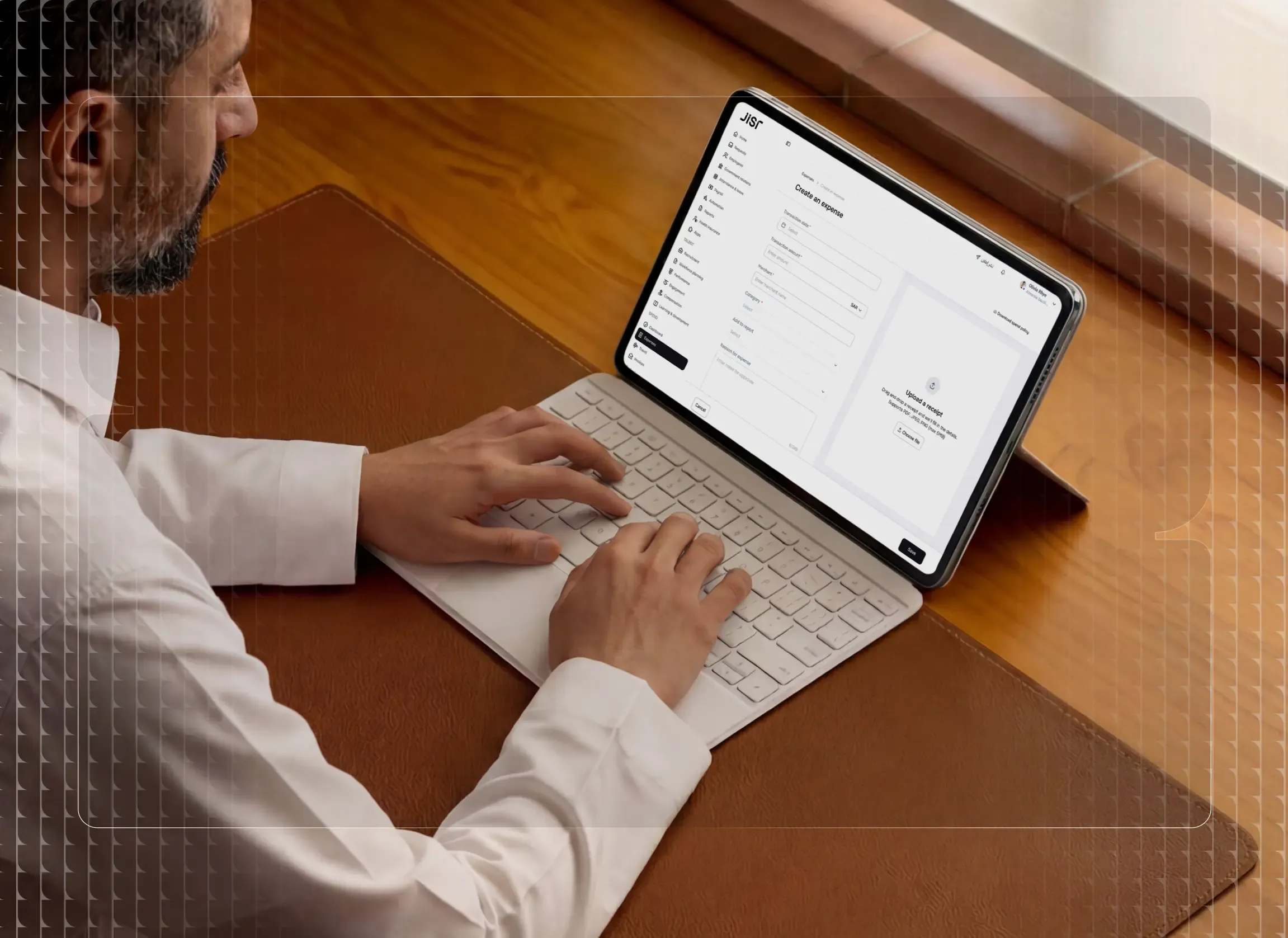
Doing the previous steps manually does keep your data safe, but jumping over to Jisr’s expense tool gives you a massive shortcut, as it allows your team to organize their many different kinds of receipts under one "Expense Report" folder only.
Take a sales exec going to the LEAP Conference in Riyadh; they can just throw every single hotel, food, and Uber receipt into a folder named “Riyadh LEAP Conference—September 2026.”
Such transitions have become a necessity for growing companies. In fact, 87% of CFOs consider automating expenses a top priority for their businesses.
To deliver a high level of efficiency, Jisr completely overhauls traditional workflows using five core capabilities:
- Instant Mobile OCR: Your employees don't have to worry about losing any vulnerable pieces of paper or manually logging anything in a text log. The software uses an OCR-enabled mobile scanner to capture transaction data from your physical receipts right away.
- Auto-Enforced Spend Controls: Internal policy compliance no longer relies on the finance team to police every line item against a company handbook manually. The expense policies of the firm are programmed in the system itself so all claims that are in line with the policies get approved.
- Continuous Duplicate Detection: Jisr features automated receipt matching that cross-references submissions to detect double payments instantly. This automated check keeps the ledger completely verified and shortens the month-end close from days to minutes.
- Direct General Ledger Integration: Transferring figures manually from spreadsheets into accounting software leads to a huge possibility of human error. That’s why Jisr automatically updates expense categories, corporate cards, GL codes, tax details, and payment histories across your entire financial ecosystem.
- Unified Payroll Reimbursements: It takes time for the claims to be paid out once they get approved if the payment process is not integrated with your monthly payroll. What Jisr does is send your approved spending right into your company payroll process, making everything faster and eliminating errors.
To see exactly how this integrated system works, check out this expense management page.
Related Blogs
![Spend Management: The Complete Guide for Finance and HR Teams [2026]](/_next/image?url=https%3A%2F%2Fancient-car-b5a7f13d5c.media.strapiapp.com%2FFinance_Management_f0cd52ebe1.webp&w=3840&q=75) Payroll Management
Payroll ManagementSpend Management: The Complete Guide for Finance and HR Teams [2026]
 Payroll Management
Payroll Challenges and Solutions for HR Managers
Stay up-to-date with the latest HR trends, technologies, and tips!
Looking for the latest insights on HR topics like hiring, performance, metrics, and more? Receive the latest insights to help you find, onboard, develop, and retain your employees in your inbox now.